How VolunteerSlot works
Four steps, and the only real work is the first one. No training, nothing to install, and your volunteers never make an account.
You set up the schedule
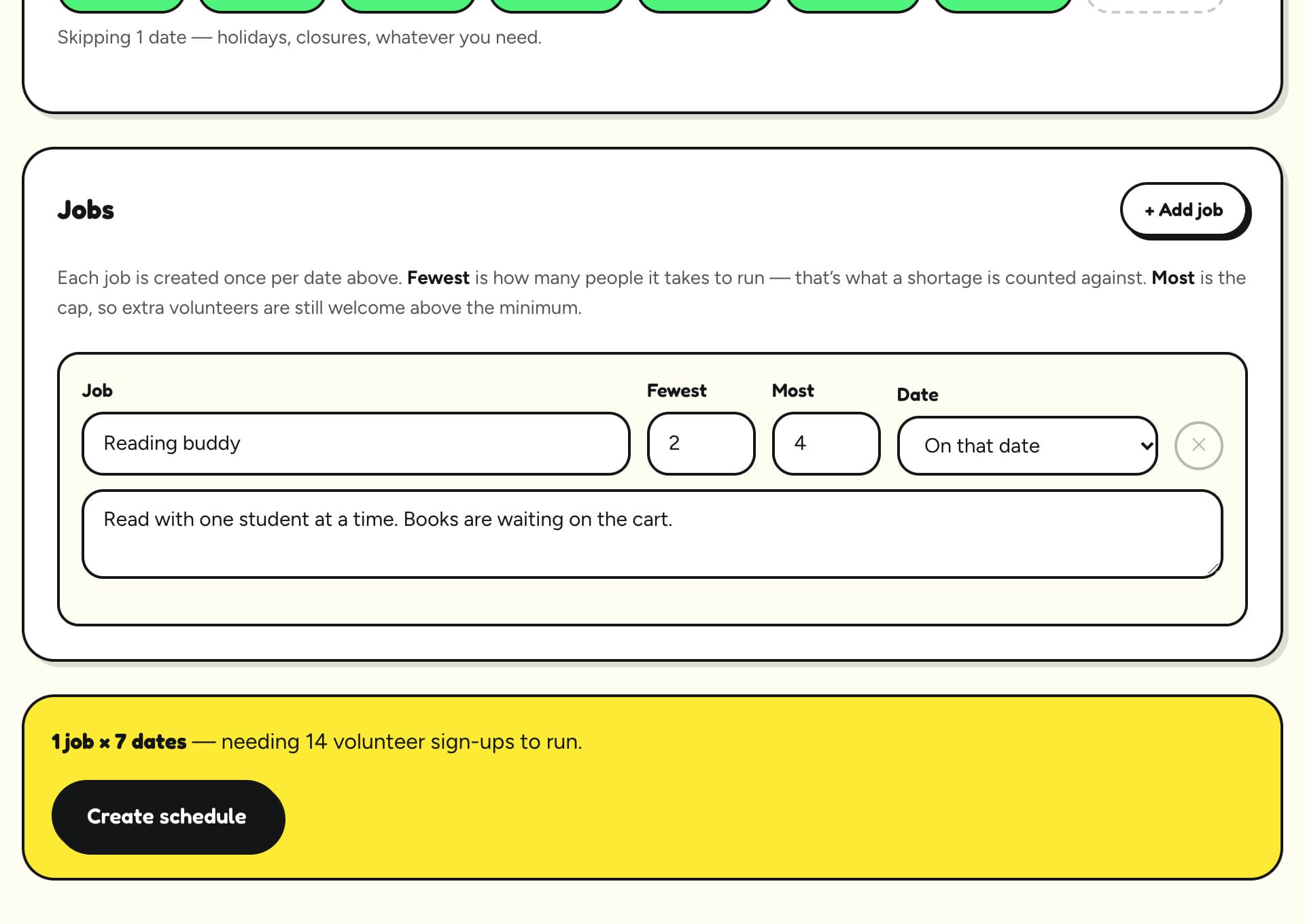
Fill in one page: which days, what the jobs are, when each one runs, and how many people it needs. It takes about five minutes the first time.
One date or every week
A single event, or the same days every week. Tap any date you’re closed and it’s skipped.
A range, not a number
“2 to 4 reading buddies.” The job counts as short until it has 2, and stays open for extra hands up to 4.
Say what the job is
A line about what each job involves, so nobody turns up for heavy lifting by surprise.
Set the hours
“Runs 9 to 11am.” Give a job its start and end time once and it applies to every date.
Or let them pick the day
A store pickup that can happen any day Monday to Thursday? The volunteer chooses their own day inside that window.
Work with no set day
Anytime tasks, like making cards at home or baking for the sale, are listed once with an optional due date, not on every date.
First: the setup page
You describe the pattern: the days, the jobs, their times and how many people each needs, plus any anytime tasks. Press Create schedule and every date is built for you.
Then: your schedule page
Now you see every real date in a grid, and you can fine-tune it anytime: add or remove a date, add a job you forgot, change a job’s time or numbers, put jobs in a different order, attach a file, or sign someone up yourself.
You share one link
Every schedule gets its own web link. Send it however you already reach people.
Tap the picture to see it bigger.
Email or text it
Press Copy and paste it into an email, a group text, or a WhatsApp chat.
Print it
Put it in the newsletter, the bulletin or the take-home folder.
That’s the only link
The same link works all season. There’s nothing to resend when you add a date.
Volunteers pick their own shifts
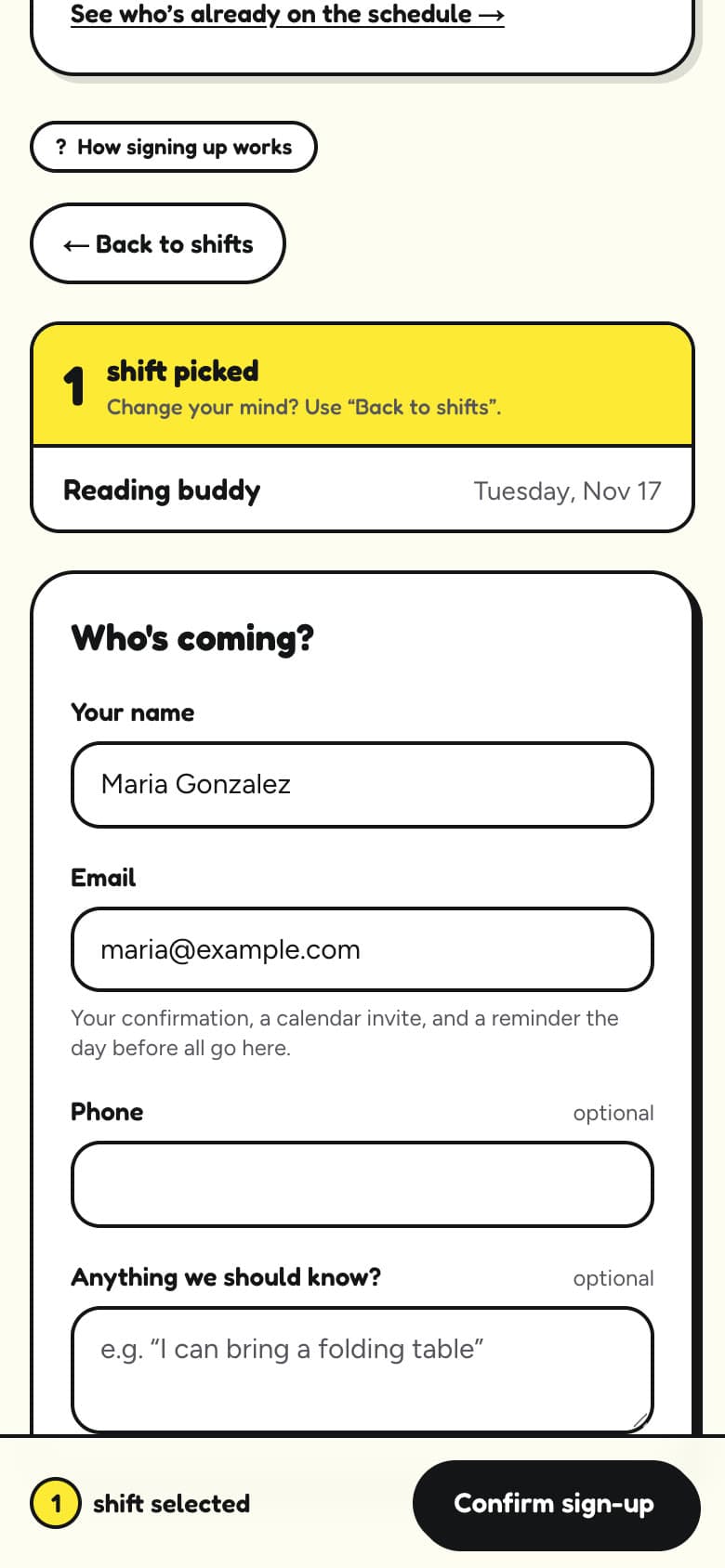
Your volunteers open the link on their phone, tick the shifts that suit them, and type their name and email. That's all they do.
No account, no password, no app
The most common reason people don’t sign up is being asked to create an account. Here they never are.
They only see what’s still needed
Shifts that already have enough people are tucked away, so volunteers go straight to the gaps.
We email them for you
A confirmation right away, a calendar invite for their phone, and a reminder the day before the shift.
You watch it fill
Your schedule page shows who's coming and what's still short, without you chasing anyone.
Tap the picture to see it bigger.
When someone can’t make it
Every confirmation email has a link to ask for a sub. Everyone else on the schedule is told, and the first person to say yes takes the shift. The original volunteer stays on it until someone does, so the shift is never left empty.
If they simply need to cancel, that’s one click too. The spot opens back up on the sign-up page, and you see it on your calendar straight away.
Built for anyone who runs on volunteers
School PTOs
Reading buddies, book fairs, field day, the classroom party rota.
Schools and districts
Front-office help, testing proctors, lunch and recess monitors.
Libraries
Shelving, story time helpers, summer reading, the Friends book sale.
Food pantries
Distribution days, drivers, sorting, store pickups any day that week.
Religious communities
Fish fries, the gift shop, food festivals and other fundraisers.
Shelters, clubs and events
Dog walking, concessions, race-day marshals, cleanup mornings.
Ready to try it?
Set up your organization in about two minutes, or read the step-by-step guide first.